
BuzzCast: Live Stream & Chat
BuzzCast LIVESocial
4.33.78K Reviews
- Version
- 3.3.01
- Installs
- 10.00M
- Age Rating
- Mature 17+
Screenshots
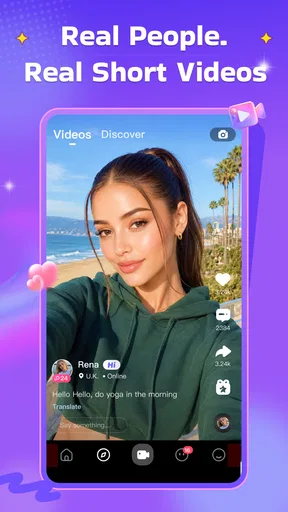
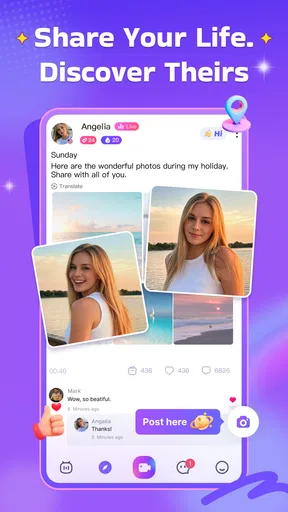
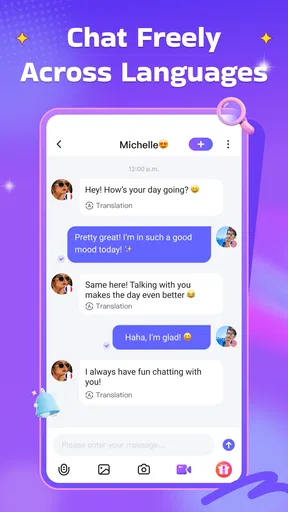

Our Review of BuzzCast: Live Stream & Chat
 Analysis by Appyee
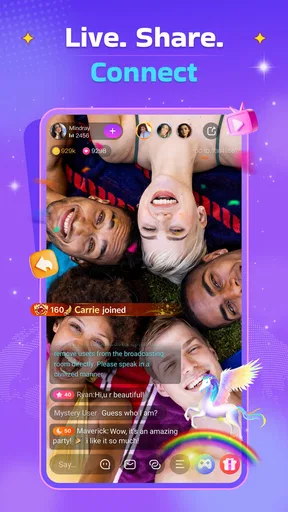
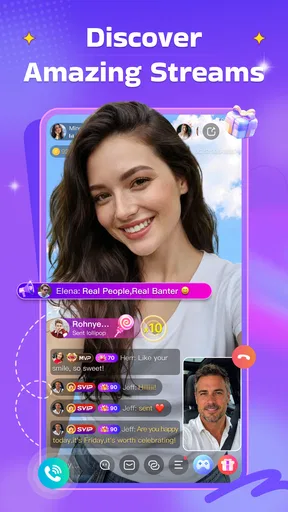
I found BuzzCast: Live Stream & Chat most interesting when I stopped treating it as just another scrolling app and looked at how it fits into real social routines. It is a live-streaming and chat app from BuzzCast LIVE, built around watching people broadcast in real time, joining conversations, and meeting others through ongoing social activity. That immediacy is its strongest appeal: instead of browsing only finished posts, I can enter a room while something is happening and decide whether to watch quietly, type in the chat, or move on.
That format also changes the decision a household makes before installing it. This is not an app I would casually place on a shared tablet without discussing who is using it, what kind of conversations are suitable, and whether the person using it understands the difference between public interaction and private trust. The app is free to install, but in-app purchases range from small amounts to very large individual purchases, so the account boundary matters just as much as the screen-time boundary.
How BuzzCast fits into a shared household
A realistic use case is a home where one phone or tablet moves between several people. Someone may open BuzzCast after dinner to watch live entertainment, another person may use the same device later to browse rooms, and a younger family member may notice the app because it is already installed. The convenience is obvious, but the social context is different from sharing a video service. Live chat is interactive, and the audience can become part of the experience immediately.
For an adult using a personal account, that can feel lively rather than complicated. I can open the app for a short break, sample a few streams, and leave without committing to a long session. The live format gives the experience a sense of discovery: I am not simply selecting from a fixed library, because the atmosphere depends on who is broadcasting and how active the room feels at that moment.
On a shared device, however, I would not assume that one account is suitable for everyone. A household should decide whether the app belongs to one adult, whether each person uses a separate account, and whether the device itself is protected by a passcode. Those are practical boundaries, not optional housekeeping. A chat app can expose the next user to the previous user’s conversations, followed rooms, notifications, or account activity if the household treats it like a communal media player.
My preferred arrangement would be a personal account on a personal device, with the login kept separate from other family members. If the app must remain on a shared phone, I would sign out when finished and avoid leaving the account open for someone else to browse. I would also keep purchase approval under the account owner’s control. The free entry point makes BuzzCast easy to try, but that should not be confused with unlimited cost-free use once optional purchases enter the picture.
The first session is about finding the right room
The most useful way to approach the app is not to judge it after one random stream. Live platforms vary greatly from room to room, so the first session works better as a sampling exercise. I would spend a few minutes checking different broadcasts, noticing which conversations are understandable, which hosts keep the room welcoming, and whether the chat moves too quickly for comfortable participation.
This is one of the app’s less obvious trade-offs. A busy room can feel energetic, but fast-moving chat may make it difficult to follow a conversation or ask a meaningful question. A quieter room may be easier for a newcomer to understand, even if it looks less exciting at first glance. I found that choosing the room carefully matters more than simply spending longer inside the app.
For someone who enjoys meeting people online, the live setting has a clear advantage over ordinary social feeds. A normal feed often rewards passive scrolling, while a live room gives me a reason to participate now. On the other hand, people who prefer carefully edited content, predictable pacing, or strong control over what appears next may find the experience inconsistent.
Setting boundaries before anyone starts chatting
Before using BuzzCast in a household, I would make a simple agreement about account ownership. The account holder should be the person responsible for conversations, purchases, and any social connections made through the app. That does not mean another family member can never watch, but it does mean everyone knows whose profile is active and who is responsible for leaving the room.
I would also explain that a friendly live conversation is not the same as a trusted personal relationship. Viewers can feel familiar with a host because they see them regularly, yet that familiarity is still created through a public or semi-public online setting. I would avoid sharing a home address, school details, travel plans, phone number, passwords, or other identifying information in chat. This advice is especially important when a device is shared, because younger users may copy an adult’s casual behavior without understanding the risks.
Another useful boundary is time. Live rooms have no natural stopping point, and the next stream is always available. I would decide in advance whether the app is being used for a short viewing session, a specific conversation, or open-ended entertainment. That small decision prevents the platform from turning every quiet moment into an automatic scrolling habit.
There is also a social boundary that is easy to miss: leaving a room is normal. A user does not need to stay because a host greeted them, because other viewers are active, or because the conversation has become uncomfortable. I consider that an important habit for new users. The ability to exit without explaining yourself is part of using a live platform sensibly.
Coordination, privacy, and the age question
I’d treat privacy and coordination as part of the setup, not something to sort out after a conversation feels awkward. Keeping a personal account separate from a shared device makes it easier to control who sees activity and who can make purchase decisions. The age rating also deserves a direct conversation, which leads to the more important question of whether a new user is ready for live social interaction.
Why coordination matters more than a shared login
If several people in a home want to use the app, coordination should happen outside the chat rather than through one account. A quick conversation about who uses the device, when it is available, and whether purchases are allowed is more reliable than expecting everyone to notice the account state. This is particularly relevant when a parent, partner, or roommate assumes the device is ready for ordinary browsing.
I would keep the account holder’s notifications and conversations from being casually exposed to others. Even when the content is harmless, social messages are personal. A shared screen can also create embarrassing misunderstandings if someone opens the app while another person is still signed in. Separate device profiles or separate personal devices are preferable when available, but the key principle is simply not treating one social identity as a family identity.
For coordination during a live event, I would use the app as an individual viewing space rather than assuming every participant in the household should join the same room. One person may enjoy chat while another only wants background viewing. Trying to make a single account satisfy both preferences can lead to unwanted follows, messages, or purchases. Individual use keeps those choices clearer.
The app can be useful for someone who wants a low-pressure way to explore online communities, but it is not a replacement for a private family communication tool. If the goal is coordinating dinner, sharing schedules, or discussing household plans, a conventional messaging app is the better fit. BuzzCast is designed around live social discovery, not organized household administration.
Age rating and trust should guide the decision
BuzzCast carries a Mature 17+ content rating, and I would take that seriously. It is not an app I would recommend for children simply because the interface may look approachable or because a family member already uses it. Live interaction is harder to predict than a preselected video, and the presence of chat means that social judgment matters as much as technical ability.
For an adult household, the rating is a reminder to keep the app attached to the right account and user. For a teenager near the stated age threshold, I would discuss expectations before installation rather than relying only on the age label. The conversation should cover private information, pressure from strangers, spending, and what to do when a room becomes uncomfortable. Those topics are more useful than presenting the app as either completely safe or automatically unsuitable.
I would skip BuzzCast for a younger child, for a person who is not ready to manage unsolicited social contact, or for anyone who tends to make impulsive purchases in live environments. I would also be cautious about introducing it to someone who already struggles to stop watching short-form content. The live format adds social pressure and unpredictability, which can make “just one more room” harder to resist.
Trust works both ways. An adult user should trust their own judgment about which rooms to enter, but should not assume that a popular or friendly-looking broadcast is automatically appropriate. A household conversation about warning signs is worthwhile: requests for money, pressure to move a conversation elsewhere, demands for personal details, or attempts to make a viewer feel guilty for leaving are all reasons to disengage.
Purchases need a clear account boundary
The app is free, which makes trying it straightforward, but optional in-app purchases can cost from $0.49 to $999.99 per item. That is a wide range, and it changes how I would manage the app on a shared device. I would never leave purchasing decisions ambiguous between family members, and I would not let a child use an adult’s logged-in account without direct supervision and a clear agreement.
The important point is not that every user will spend money. Many people may simply watch and chat. The issue is that live social settings can make spending feel connected to recognition, support, or participation. A user may feel encouraged to buy something because a host notices supporters or because the room creates a sense of urgency. I would decide beforehand whether purchases are allowed at all and who, if anyone, can authorize them.
This is also where BuzzCast differs from a basic video app. With ordinary on-demand viewing, payment is often tied to a subscription or a clearly selected rental. In a live social environment, optional spending can become part of the interaction itself. That does not make the model inherently wrong, but it means the account owner should pay attention rather than treating the app as passive entertainment.
What the app does better than familiar alternatives
Compared with a standard social feed, BuzzCast gives me more immediate contact with the people behind the content. The appeal is not just watching; it is entering a room where conversation is happening and possibly becoming part of it. That can make the experience feel more personal than endlessly scrolling edited posts.
Compared with a conventional video platform, its strength is spontaneity. A polished video is usually easier to control, pause, and choose for a specific topic. BuzzCast is better when I want to browse live personalities, discover an unexpected conversation, or interact in the moment. The price of that spontaneity is uneven quality and less predictability. Some sessions will be engaging, while others may feel repetitive, noisy, or poorly suited to my interests.
Compared with a private messaging app, BuzzCast is much better for meeting unfamiliar people and observing public social spaces, but much worse for sensitive personal communication. I would use a private messenger for trusted contacts and household coordination, and BuzzCast for live discovery. Confusing those roles would be a mistake.
Compared with a tightly moderated community built around one hobby, BuzzCast offers broader variety but less certainty that everyone shares the same purpose. If I want focused discussion about a specific subject, a dedicated forum or group may be more satisfying. If I want to see what different live rooms feel like and choose in the moment, BuzzCast has the more flexible format.
Practical habits that improve the experience
My first practical tip is to judge rooms by conversation quality rather than viewer activity. A crowded room may be difficult to follow, while a smaller room may offer a better chance to understand the host and participate naturally. This is a useful filter for avoiding the assumption that popularity equals suitability.
My second tip is to separate watching from interacting. I would begin as a quiet viewer, learn the tone of the room, and only then decide whether to chat. That short pause reduces the chance of sharing something personal in a conversation whose boundaries are not yet clear. It also helps a new user learn the rhythm of live chat without feeling pressure to perform.
My third tip is to treat the account as a personal identity, not a household shortcut. I would avoid leaving it signed in on a common tablet, keep purchase authority with the owner, and make sure other users know when the app is open. This protects privacy and prevents accidental actions that are difficult to explain later.
A fourth useful habit is to leave when the experience stops being enjoyable. Live platforms can create a feeling that departure is rude, especially when a host is addressing viewers directly. I do not think that pressure should control the session. The best use of BuzzCast is voluntary and curious; once it becomes uncomfortable, repetitive, or financially pressuring, closing the app is the right response.
Performance expectations and everyday usability
BuzzCast is available for Android devices running version 6.0 or later, and the current version is 3.2.85. That makes compatibility fairly broad for people using older Android hardware, although the quality of a live-streaming experience still depends on the device, connection, and surrounding conditions. I would be more comfortable using it on a stable personal connection than relying on an unpredictable mobile signal during a busy commute.
Live video also demands more attention than ordinary text chat. If the household shares a limited connection, one person watching a stream may affect other activities. I would avoid assuming that an older phone or crowded network will deliver the same smooth experience as a newer device. The app’s social value depends heavily on being able to see and hear what is happening without constant interruption.
The app has been available since May 11, 2018, and its scale is reflected in an average rating of 4.2 from around 139 thousand ratings, with more than 10 million installs. Those figures suggest that BuzzCast has reached a substantial audience, but they do not remove the need for personal judgment. A large user base can provide more rooms and more chances to find an appealing community, while also bringing greater variation in behavior and content.
Developer BuzzCast LIVE has positioned the app clearly within social entertainment rather than private communication. I think that clarity helps set expectations: the app is for live streams, chat, and social discovery. It is not the tool I would choose for structured learning, family planning, confidential conversation, or a carefully controlled media library.
Who should install it, and who should choose something else
I would recommend BuzzCast to an adult who enjoys live personalities, spontaneous conversation, and the possibility of meeting people outside an existing friend group. It suits someone willing to sample rooms, manage their own boundaries, and accept that not every stream will be equally interesting. The free entry point makes exploration easy, provided the user understands that optional purchases require restraint.
I would be less enthusiastic for someone who wants reliable, topic-specific content every time they open an app. A conventional video service is better for that. I would also choose a private messaging platform for family coordination, a focused community for specialist discussion, and a child-appropriate service for younger users. BuzzCast works best when its live, open-ended nature is the reason for installing it, not something the user hopes to avoid.
For a shared household, my recommendation is conditional. Keep the account personal, agree on spending, respect the Mature 17+ rating, and do not let the app become an unexamined communal window into private conversations. If those boundaries are easy to maintain, the app can provide an entertaining way for an adult to discover live communities and chat in real time.
My final view is that BuzzCast is more rewarding when used deliberately than when opened automatically. Its strongest feature is the feeling of arriving where something is happening now, but that same immediacy creates uneven content, social pressure, and a need for sensible account management. I would install it for an adult personal device, explore rooms patiently, and keep household use clearly separated. For that audience, it is a worthwhile social app; for younger users or families seeking a shared, controlled experience, I would choose a different kind of platform.
Privacy and Permissions
See what permissions an app requests and how it handles your data.
- Location
- approximate location (network-based), precise location (GPS and network-based)
- Phone
- read phone status and identity
- Photos/Media/Files
- read the contents of your USB storage, modify or delete the contents of your USB storage
- Storage
- read the contents of your USB storage, modify or delete the contents of your USB storage
- Camera
- take pictures and videos
- Microphone
- record audio
- Wi-Fi connection information
- view Wi-Fi connections
- Device ID & call information
- read phone status and identity
- Other
- view network connections, pair with Bluetooth devices, change network connectivity, connect and disconnect from Wi-Fi, control flashlight, full network access, change your audio settings, run at startup, reorder running apps, draw over other apps, control vibration, prevent device from sleeping, read Google service configuration
Verdict
Strengths of BuzzCast: Live Stream & Chat
- Easy discovery of live rooms through personalized recommendations.
- Interactive chat makes it simple to connect with streamers and viewers.
- Supports virtual gifts and social interactions during live broadcasts.
- Frequent live content offers variety across different interests.
- Mobile-friendly interface is easy to navigate for new users.
Limitations of BuzzCast: Live Stream & Chat
- Some features may require in-app purchases or virtual currency.
- Live content quality can vary significantly between broadcasters.
- Public chats may contain spam, repetitive messages, or unwanted attention.
- The app may consume considerable battery and mobile data during streaming.
- Privacy settings should be reviewed carefully before sharing personal details.
Similar Picks in This Category
View All
Meta Platforms, Inc.4.6

Instagram4.0

Likee-Live, Chat & Party Games
Likeme Pte. Ltd.4.4

Facebook Lite
Meta Platforms, Inc.4.5

TikTok - Videos, Shop & LIVE
TikTok Pte. Ltd.4.0

Moj: Free Short Drama & Reels
ShareChat4.1
Frequently Asked Questions
What is BuzzCast: Live Stream & Chat, and what can users do with it?
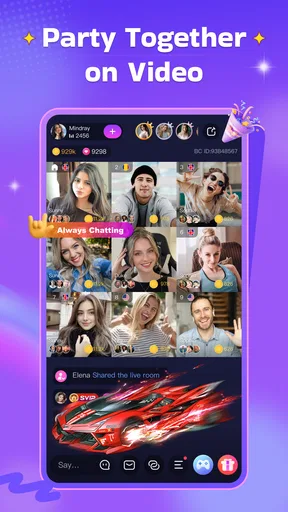
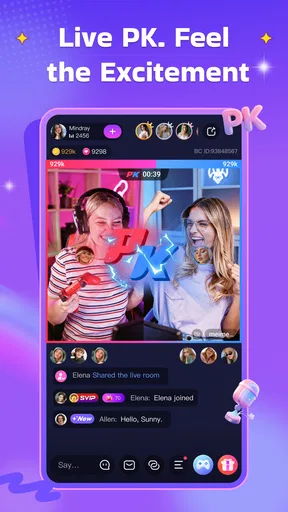
BuzzCast is a social live-streaming and chat platform where users can watch live broadcasts, interact with hosts, send messages, and meet people through real-time conversations. Depending on the region and available features, users may also be able to start their own live streams, join interactive rooms, follow creators, participate in events, and use virtual gifts or other engagement tools.
Is BuzzCast: Live Stream & Chat free to download and use?
BuzzCast can generally be downloaded for free on supported Android and iOS devices, and many basic features are available without an upfront payment. However, the app may include optional in-app purchases, such as virtual coins, gifts, premium interactions, or other digital items. Users should review the current pricing, subscription details, and payment settings before making purchases.
Do I need an account to watch live streams on BuzzCast?
Some content may be viewable immediately after opening the application, but creating or signing into an account is usually necessary for the full experience. An account may be required to follow streamers, send messages, participate in live chats, save preferences, send gifts, or start broadcasting. Registration can also help synchronize activity across supported devices.
Is BuzzCast safe for children and teenagers?
BuzzCast is designed around live user-generated content, so broadcasts and conversations can change quickly and may not always be suitable for younger viewers. Parents should check the app’s age rating, privacy options, chat controls, and device-level parental settings before allowing access. Users should avoid sharing personal information and report inappropriate behavior through the available safety tools.
What permissions and internet connection does BuzzCast require?
BuzzCast needs a reliable internet connection because live video and real-time chat can consume considerable mobile data, especially when streaming over cellular networks. If you broadcast, the app may request access to the camera and microphone; other permissions can vary by device and feature. Review each permission request carefully and disable access that is not necessary for your intended use.
